PUBG Mobile 4.6.0 APK Download for Android: Full Installation Guide
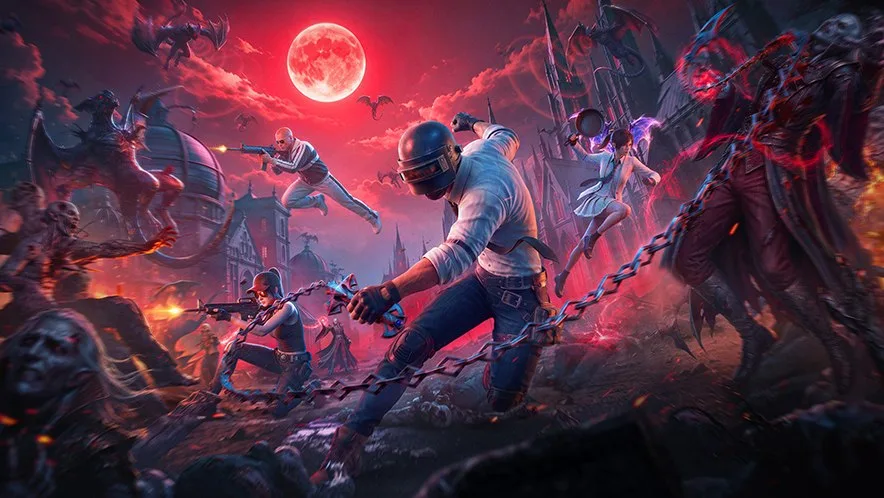
PUBG Mobile 4.6.0 is now available for Android. Players looking for the latest PUBG Mobile 4.6 APK download can use MadTamizha's dedicated update page to check the version, file size, and available download options before installing.
🆕 UpdateThe current PUBG Mobile Global release listed by MadTamizha is version 4.6.0. The Android APK size is approximately 1215.3 MB, and the package name is com.tencent.ig.
PUBG Mobile 4.6.0 APK Download Details
Check these details before downloading the update:
| Detail |
Information |
| Game |
PUBG Mobile Global |
| Version |
4.6.0 |
| Platform |
Android |
| APK size |
1215.3 MB |
| Package name |
com.tencent.ig |
| Price |
Free |
The APK size is not the game's final installed size. PUBG Mobile may download additional maps, graphics packs, audio, and other resources after installation, so keep several gigabytes of free storage available.
Download PUBG Mobile 4.6.0 APK for Android
Use the dedicated MadTamizha page below to download PUBG Mobile Global 4.6.0:
Download PUBG Mobile 4.6.0 APK for Android
You can also visit the MadTamizha APK Updates page to check other PUBG Mobile and BGMI editions.
Before starting the download, confirm that the page shows:
- Version 4.6.0
- Package com.tencent.ig
- File size 1215.3 MB
- PUBG Mobile Global, not BGMI or a regional edition
How to Install PUBG Mobile 4.6 APK
Follow these steps on an Android phone or tablet:
- Open the PUBG Mobile 4.6.0 download page.
- Check the version number and APK size.
- Tap the available download button and wait for the APK to finish downloading.
- Open the downloaded APK from your browser or file manager.
- If Android asks for permission, temporarily allow that browser or file manager to install unknown apps.
- Tap Install and wait for the update to complete.
- Open PUBG Mobile and let the game download any required resource packs.
- Turn off the “Install unknown apps” permission afterward if you no longer need it.
If PUBG Mobile is already installed, try installing version 4.6.0 over the existing app first. This may preserve your downloaded resources and settings. Do not uninstall the existing game solely to update it unless you have confirmed that your account and game data are safely linked.
Requirements Before Installing
For a smoother installation, make sure you have:
- A supported Android device
- Several gigabytes of free internal storage
- A stable Wi-Fi or mobile-data connection
- Enough battery charge, or a connected charger
- The correct regional version of PUBG Mobile
PUBG Mobile Global uses the package name com.tencent.ig. BGMI, PUBG Mobile Korea, Vietnam, Taiwan, and beta releases are separate apps. Installing an APK for the wrong edition can result in an “App not installed” message or create a separate installation.
Fix PUBG Mobile 4.6.0 App Not Installed Error
If Android cannot install the PUBG Mobile 4.6 update APK, try these checks:
Check the Download
An interrupted or incomplete APK cannot install correctly. Compare the downloaded file size with the size shown on the download page and download it again if necessary.
Free Up Storage
The phone needs more free space than the APK file itself because Android creates temporary installation files. Remove unused downloads or apps, then retry.
Use the Correct PUBG Mobile Edition
The Global APK is for com.tencent.ig. It will not update BGMI or another regional package. Download the same edition already installed on your device.
Check for a Signature Conflict
An APK signed differently from the installed app cannot replace it. If Android reports a conflict, update through the same trusted source used for the existing installation. Avoid uninstalling until your game account is linked and recoverable.
Restart the Device
Restart Android, reopen the APK, and try the installation again. This can clear a stuck package-installer process.
Is PUBG Mobile 4.6 APK Available for iPhone?
No. APK files work only on Android. iPhone and iPad users must obtain PUBG Mobile through the Apple App Store available in their region. Do not try to install an Android APK on iOS.
Stay Updated With MadTamizha
Bookmark the MadTamizha Updates page for new PUBG Mobile APK versions, BGMI updates, beta releases, file sizes, and direct installation information.
For details about the theme and release rollout, read our PUBG Mobile 4.6 release-date guide.
Frequently Asked Questions
Where can I download PUBG Mobile 4.6.0 APK for Android?
Download it from the dedicated MadTamizha PUBG Mobile 4.6.0 page at
https://www.madtamizha.com/updates/pubg-global-v4-6-0.
What is the PUBG Mobile 4.6.0 APK size?
The current Android APK is listed as 1215.3 MB. Additional in-game resources require more storage after installation.
What is the package name for PUBG Mobile Global 4.6.0?
The Android package name for PUBG Mobile Global is com.tencent.ig.
Can I update PUBG Mobile without uninstalling it?
Yes. Try installing the 4.6.0 APK over the existing matching Global edition first. This may preserve downloaded resources and settings.
Why does PUBG Mobile 4.6 say App not installed?
Common causes include insufficient storage, an incomplete APK, the wrong regional edition, or a signature mismatch with the currently installed app.
Is PUBG Mobile 4.6.0 APK the same as BGMI 4.6?
No. PUBG Mobile Global and BGMI are separate applications with different Android package names. Use the edition already associated with your account and device.
Can I install PUBG Mobile 4.6 APK on iPhone?
No. APK files are Android-only. iPhone and iPad users must use the Apple App Store.